Capture like Snipping Tool
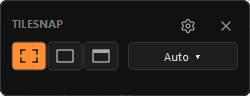
Use a hotkey, drag a region, or grab the full screen. TileSnap keeps the capture flow fast and familiar.
Windows screenshot utility for AI chat
See something. Show something. Get an answer.
Capture the exact thing on your screen, crop out the noise, mark up what matters, redact secrets, and paste an AI-ready screenshot without opening an editor.
Avoid giant full-resolution dumps. No cloud upload required.
* Windows may warn "Unknown publisher" during install, TileSnap isn't code-signed yet. See why.
Screen-to-AI workflow
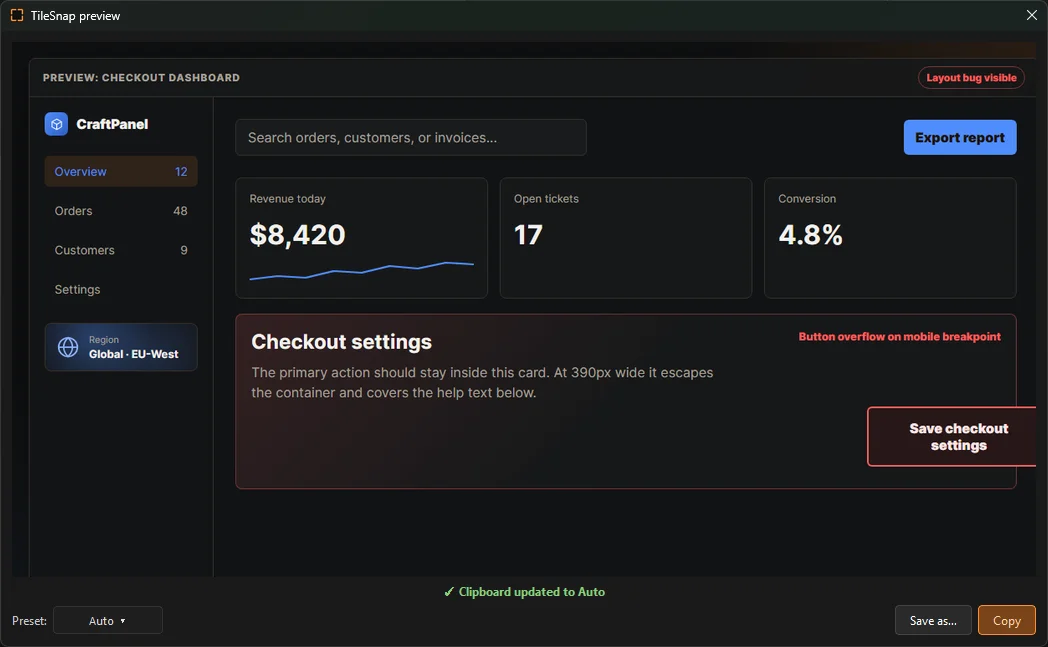
A broken layout, a stack trace, a weird settings panel, a game bug. TileSnap turns that moment into one clean screenshot for AI.
Clipboard-first workflow
Use a hotkey, drag a region, or grab the full screen. TileSnap keeps the capture flow fast and familiar.
Auto, 512px, 1024px, and 1536px presets resize only when needed. No artificial upscaling.
The full-resolution screenshot is saved in the background, so you can paste small and still recover detail later.
Turn readable screen text from errors, logs, menus, and settings panels into clipboard text for AI agents and quick notes.
Real token math
OpenAI's GPT-4o family charges high-detail images in 512px tiles. Claude scales more gradually with image size. Newer models like Gemini 3 and GPT-5.6 use automatic token-budget systems instead, so there is no single exact pixel multiplier that applies to every provider.
Using a concrete 3840 x 2160 screenshot resized by TileSnap to 512 x 288. Estimates are based on OpenAI's and Anthropic's own published vision-token formulas.
| Provider | Original 4K | TileSnap 512px | Reduction |
|---|---|---|---|
| OpenAI high detail (GPT-4o) | 1105 tokens | 255 tokens | 4.3x fewer |
| Claude current top models | 4784 tokens | 209 tokens | 22.9x fewer |
Gemini 3 and GPT-5.6 are left out of this multiplier table on purpose: both use automatic token-budget systems rather than a clean public pixel-to-token formula. Smaller screenshots still help there too, just without one exact number to quote.
* This is a best-case example, real-world savings vary with your screen size and chosen preset.
Positioning
Capture, mark up, save, and share.
Do all of that, then make the screenshot ready to paste into AI.
Simple pricing
$0
$19one-time
Yours forever. One-time payment, no subscription, no account. Occasional internet access is required to validate the license.